

IT support: a plain guide to the options
Remote, on-site, managed or pay-as-you-go: what each type of IT support actually means, how IT support at home differs from support for a business, and the questions worth asking before you pick a provider.
Webpage design is the plan for how a page looks, reads and works on every screen. Here is what it covers, from mobile-first layout and WCAG 2.2 to Core Web Vitals and SEO basics, and how it differs from web development.
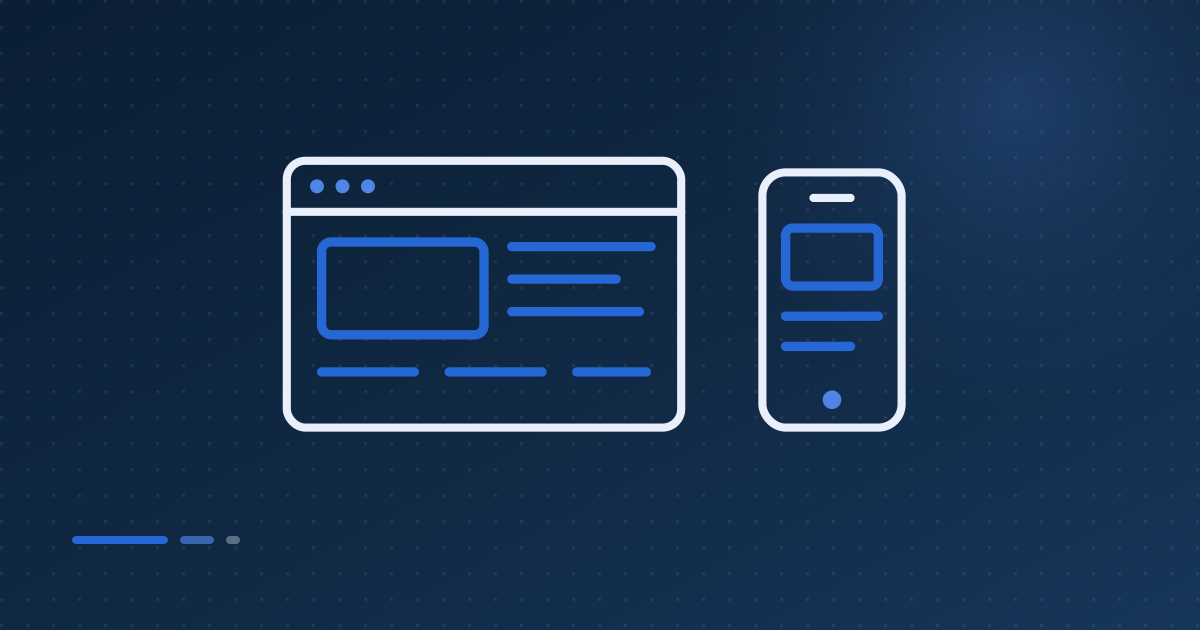
A webpage design is the plan for how a single page looks, reads and works: where everything sits, what it says, how it adapts to a phone, and how easily anyone can use it. Good webpage design balances layout, content, accessibility and speed, so a visitor finds what they came for and knows what to do next.
It is easy to think of design as the visual layer: colours, fonts and photos. Those matter, but they are the last decisions rather than the first. The earlier decisions are about the visitor. Who lands on this page, what question did they arrive with, and what does the page need to say and do to answer it?
A website is made of many webpages, and each type usually has its own design: a home page, a service page, a contact page, a blog post. Getting a handful of these templates right does more for a small business site than an elaborate home page.
Webpage design covers six things that work together: layout, content, mobile behaviour, accessibility, speed and search basics. Each affects the others. A heavy image slows the page, a cramped layout fails on a phone, and vague headings confuse visitors and search engines alike. Treating them as separate jobs is how most poor pages happen.
Design mobile-first because Google indexes and ranks the mobile version of your page. Google's guidance says it uses content crawled by its smartphone agent, and that only content shown on the mobile site is used for indexing. If something matters, it has to be on the phone version, not reserved for desktop.
Mobile is also the harder design problem, which is why it should come first. A narrow screen forces you to decide what matters most. A layout that works there usually expands well to a laptop, whereas a desktop design squeezed onto a phone tends to end up with tiny buttons and walls of text.
The simplest way to stay on the right side of this is responsive design, where one page adapts to every screen. Google notes that with responsive design the content and metadata are already the same across devices, so there is nothing to keep in sync.
Accessibility means people with disabilities can perceive, understand and use your page. The standard is the Web Content Accessibility Guidelines, and the current version, WCAG 2.2, became a W3C Recommendation in December 2024. It rests on four principles: content must be perceivable, operable, understandable and robust, tested at levels A, AA and AAA.
Level AA is the usual target. It is the level UK public sector bodies are required to meet, and a sensible benchmark for everyone else. WCAG 2.2 added several criteria that are very practical for designers:
Most of these make a page easier for everyone, which is the real argument for treating accessibility as part of design rather than an audit at the end.
Speed is a design decision, not just a hosting one. Google measures it with three Core Web Vitals: Largest Contentful Paint for loading, Interaction to Next Paint for responsiveness and Cumulative Layout Shift for visual stability. A good page scores 2.5 seconds, 200 milliseconds and 0.1 or better, measured at the 75th percentile of visits.
The design choices that hurt these numbers are familiar: an enormous hero image or video, fonts loaded from several places, sliders, pop-ups that push content around, and embeds with no space reserved for them. Each can be justified on its own. Together they produce a page that looks good in a design file and feels sluggish on a mid-range phone.
Designing to a budget fixes most of it. Decide what has to appear first, give images fixed dimensions so nothing jumps, and question every element that loads before the visitor can read the headline.
The SEO basics that belong in design are a unique, descriptive title, a short meta description, a logical heading structure, readable URLs and descriptive alt text on images. Google's own starter guide also stresses content that is helpful, reliable and written for people first, which is as much a design brief as a writing one.
Design affects this more than people expect. If the template has no room for an introduction, the page has little to rank on. If headings are styled text rather than real headings, the structure is lost. If the service name only appears inside an image, search engines rely on the alt text to know it is there.
Web design decides what a page should look like, say and do. Web development builds it: writing the code, connecting it to a content management system, forms and databases, and making it run reliably on a server. Design is the plan and the experience; development is the construction and the plumbing behind it.
In practice the line is blurry, and it should be. Accessibility and speed in particular only come out right when the designer understands how the page will be built and the developer understands why the design looks the way it does. For a small business the most useful arrangement is usually one team responsible for both, so neither half can blame the other.
Hucknall IT designs and builds websites for small businesses, including CMS sites you can update yourself. To talk through a single page or a whole site, call 0115 990 4332 or email support@hucknallit.co.uk, 9am to 9pm, seven days a week.
Where the facts in this article came from. If any of it goes out of date, tell us and we will correct it.
Remote, on-site, managed or pay-as-you-go: what each type of IT support actually means, how IT support at home differs from support for a business, and the questions worth asking before you pick a provider.

Managed IT services means paying a provider to look after your IT on an ongoing basis, rather than calling someone when it breaks. Here is what that covers, how it compares with pay-as-you-go, and what the NCSC says to check before you sign.

Passkeys, two-step verification, spotting scams, safe browsing, updates, public Wi-Fi and keeping children safe online, with the official UK places to report problems and what to do if something goes wrong.
Tell us what you are running and we will tell you honestly whether this affects you, what it would cost to put right, and how quickly we can do it. No hard sell.
Open 9am–9pm, 7 days a weekSpeak to a real, local engineer — call us straight away, or leave your number and we'll ring you back.